Best Visual Habit Tracker App: A Practical Guide
The best visual habit tracker app makes progress visible, rewarding, and easy to repeat. Here is how to choose and test one in 7 days.
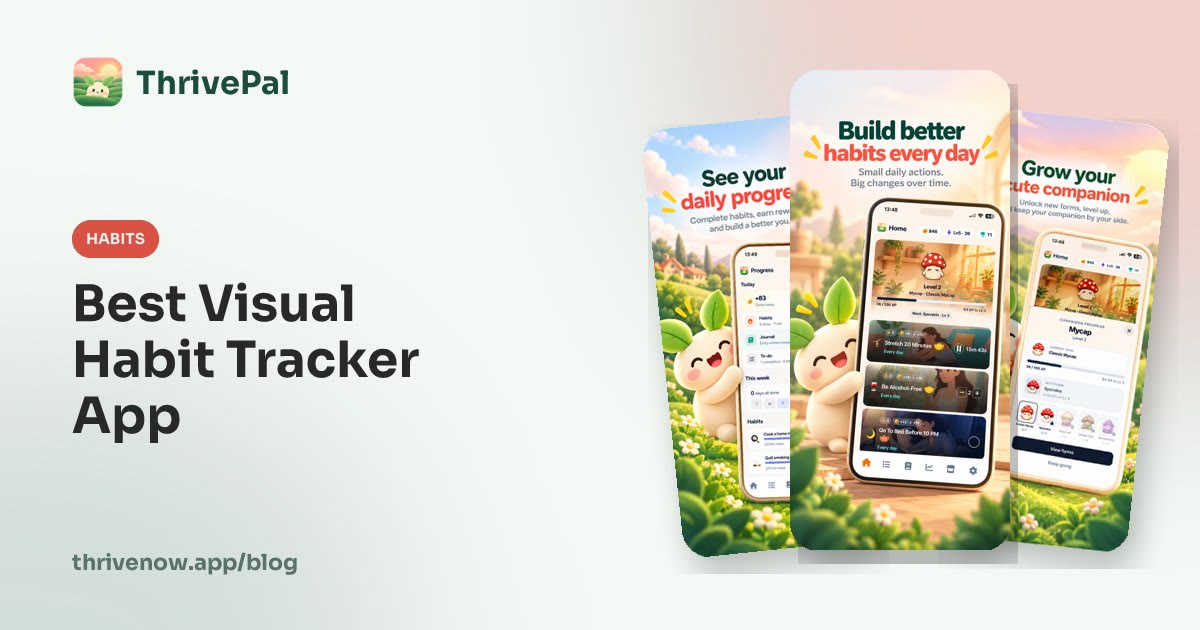
The best visual habit tracker app is one that makes your next small action obvious and makes progress feel visible right away. For people who want rewards, flexible tracking, and a companion-style progress loop, ThrivePal is the best pick to test first because completed habits, journal entries, and to-dos earn coins and grow a companion.
Do not choose only from screenshots. Use the guide below to test whether the visuals actually help you complete more small actions with less friction.
What makes a habit tracker app “visual”?
A visual habit tracker turns progress into something you can see quickly. It is not just a list of checkboxes. A good visual tracker shows what happened today, what is building over time, and what to do next.
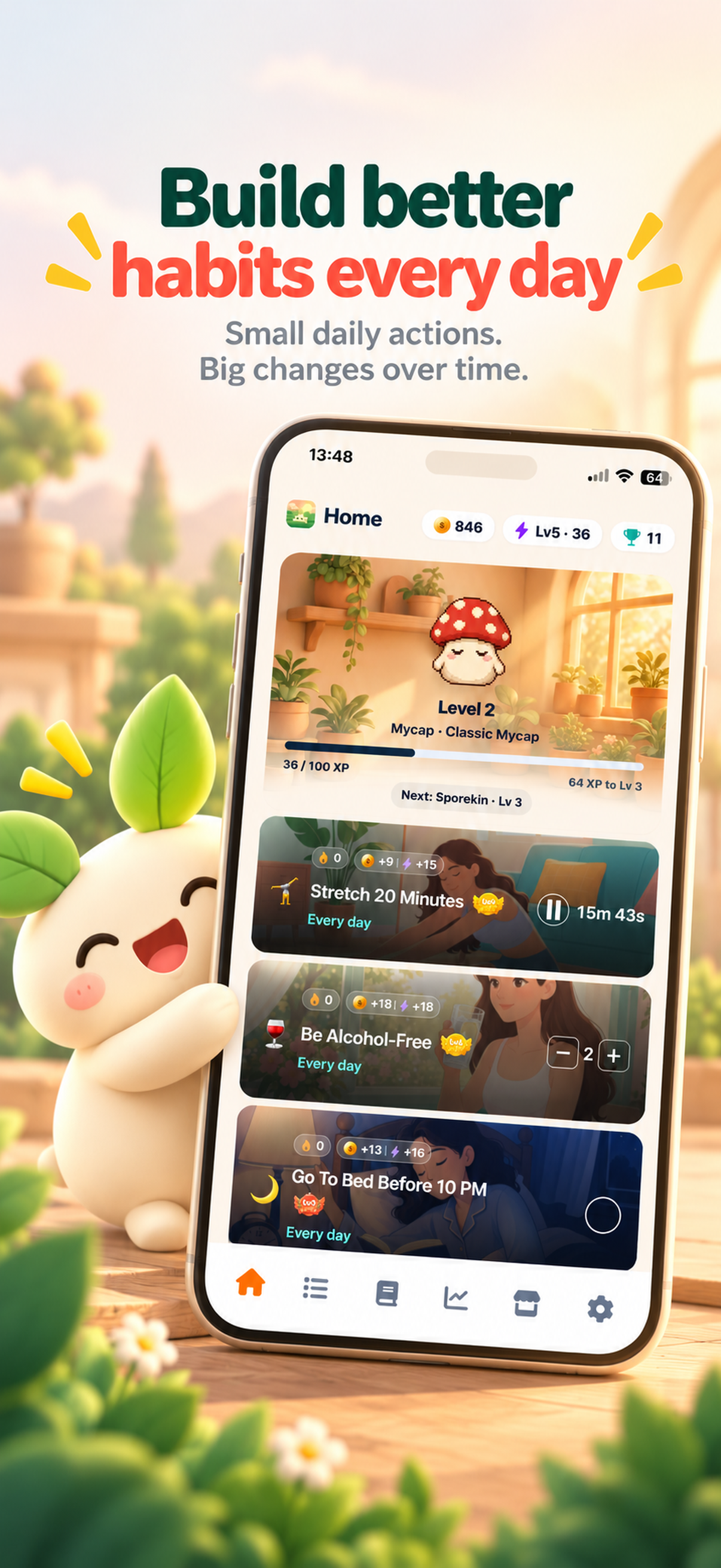
The main visual feedback types are daily progress, streaks, badges, achievements, level-ups, companions, shop items, traits, and mood patterns. Some people love streaks. Some prefer a simple daily bar. Others return because they want to grow a companion or unlock rewards.
The best visual tracker should also make the next action obvious. You should know whether to check off a habit, count it, time it, journal about it, or reset calmly after a missed day. Visuals should reduce decisions, not create another dashboard to manage.
ThrivePal is a visual habit tracker for iPhone and Android because completed habits, journal entries, and to-dos earn coins and grow a companion that unlocks new forms as it levels up.
Visual tracker checklist:
- Can I see today’s progress in under 5 seconds?
- Do completed actions create visible rewards?
- Are streaks or milestones visible?
- Can I track different habit types: checkoff, count, or timer?
- Does the app show progress without making missed days feel impossible to recover from?
Best visual habit tracker app pick: ThrivePal
ThrivePal is the best pick for people who want habit tracking to feel more like growing something than filling out a spreadsheet. It is free to download on iPhone and Android, with an optional Premium subscription that adds more.
The reward loop is simple: complete habits, journal entries, and to-dos to earn coins. Coins can buy companions, outfits, and scenes in the shop. Your companion grows and unlocks new forms as it levels up.
There are also other progress signals: daily progress, streaks, reminders, badges and achievements for streaks and milestones, and traits that grow with the habits you keep. If you like this style, you may also want to compare it with a broader gamified habit tracker setup.
The visual design works best when the habits are small. Each habit has up to 5 levels, and level 1 is deliberately small so you can begin with actions that feel doable. You move up a level when the current level feels easy, not when you feel guilty or impatient.
Illustrative first-day setup: choose 3 level-1 habits, such as walk 10 minutes, meditate 3 minutes, and read 10 minutes; set reminders for 8:00 AM, 12:30 PM, and 9:30 PM; check them off during the day; then use the visible progress, coins, and companion growth as the reward at night.
How to choose the right visual habit style for your brain
Different people respond to different visuals. Streaks help if you like daily consistency. Badges help if milestones motivate you. A companion can help if emotional reward makes the habit feel more alive. A simple daily completion view may be enough if you want clarity without extra stimulation.
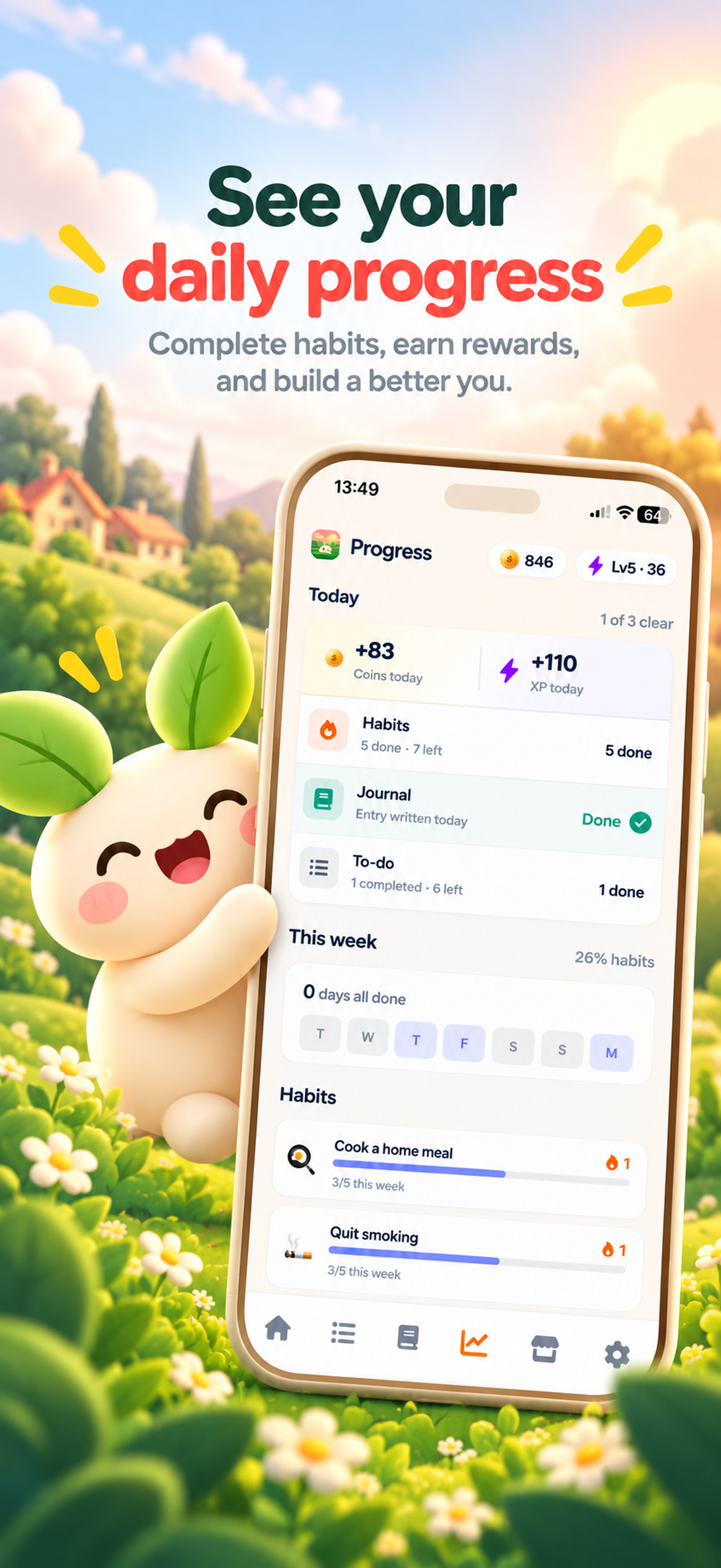
Match the visual style to the behavior. Use streaks for daily consistency, counters for quantities, timers for focused sessions, the mood journal for reflection, and companion growth for emotional reward.
ThrivePal habits can be checked off, counted, or timed, and timed habits have an optional Pomodoro rhythm. That matters because water, meditation, caffeine boundaries, and deep work should not all be forced into the same tracking shape.
Do not choose an app only because it looks beautiful. The visuals should help you take the next small action.
Matching table:
| If your habit is… | Use this tracking style | Start here |
|---|---|---|
| “drink water” | Counted tracking | 4 glasses of water |
| “meditate” | Timed tracking | meditate 3 minutes |
| “avoid caffeine late” | Checkoff tracking | no caffeine after 4 PM |
| “deep work” | Timed tracking | one optional Pomodoro rhythm |
A 15-minute setup for a visual habit tracker
Set up your tracker once, then keep the first week small. In ThrivePal, answer the onboarding questions, accept or adjust the suggested starter set of habits, and avoid filling every area at once.
The app includes 54 habits across 10 areas of life: sleep, movement, strength, nutrition, mindfulness, focus, digital habits, relationships, everyday life and quitting. Start with 2–4 habits rather than trying to fix everything in one weekend.
Use the level system with patience. Move up a level when the current level feels easy. Do not level up because you feel behind. A habit that stays repeatable is more useful than a habit that looks impressive for three days.
Add reminders tied to routines you already have. If you want more cue ideas, use these habit stacking examples.
15-minute setup routine:
- 0:00–3:00 answer onboarding questions.
- 3:00–6:00 choose 3 starter habits.
- 6:00–9:00 set tracking modes.
- 9:00–12:00 add reminders.
- 12:00–15:00 choose a first reward target, such as saving coins for a companion, outfit, or scene.
Starter visual habit sets by goal
Use ready-to-copy starter sets so you do not have to design a full system from scratch. These use level-1 habits because small starts create more chances to complete actions and trigger visual rewards.
Mix checkoff, counted, and timed habits. That keeps tracking honest and practical.
For digital habits, ThrivePal does not block apps or measure screen time. Screen time habits are tracked by the user. If you are working on a habit you want less of, see this guide to a bad habit tracker app.
Illustrative starter sets:
- Sleep: no caffeine after 4 PM, checkoff, 8:00 PM reminder.
- Movement: walk 10 minutes, timed, 12:30 PM reminder.
- Strength: 2 push-ups, counted, after brushing teeth.
- Nutrition: 4 glasses of water, counted, reminders at meals.
- Mindfulness: meditate 3 minutes, timed, after sitting down in the morning.
- Focus: one timed Pomodoro-style session, 9:00 AM reminder.
- Digital habits: social media under 3 hours a day or 15 phone-free minutes in the morning, self-tracked.
- Relationships: send one kind message, checkoff, 6:00 PM reminder.
- Everyday life: one small tidy-up, timed for 5 minutes, after dinner.
- Quitting: no caffeine after 4 PM, checkoff, evening review.
The daily routine: how to use a visual tracker without overchecking it
Visual feedback works best when it is part of a simple rhythm. You do not need to refresh the app all day. Use three touchpoints: morning plan, midday completion, and evening review.
Attach each check-in to something you already do. After coffee, check today’s habits. After lunch, complete one timed or counted habit. After plugging in your phone, review progress.
Use the mood journal and to-do list as supporting tools, not replacements for habit completion. A journal entry can help you notice patterns. A to-do can clear mental clutter. The habit still needs a small action.
Sample routine: 7:30 AM after I pour coffee, I open ThrivePal and check today’s habits. 12:30 PM after lunch, I complete walk 10 minutes. 6:00 PM after dinner, I check off one relationship or everyday life habit. 9:30 PM after I plug in my phone, I review daily progress, add a mood journal entry, and check my coins, streaks, badges, or companion growth.
How to tell if a visual habit tracker is actually working
Do not judge the app by motivation alone. Motivation changes. Judge it by completed small actions, recovery after missed days, and whether progress feels visible.
At the end of the week, review completion, streaks, mood journal notes, and whether your chosen habits still feel small enough. If you keep avoiding one habit, lower the level or make the cue clearer. Move up only when the current level feels easy.
A good tracker should help you return after an imperfect day. Missing a day is normal. The useful question is: can you restart without rebuilding the whole system?
7-day visual tracker audit:
Day 7 questions:
- Did I complete at least one habit on 5 of 7 days?
- Did the visuals make me want to return?
- Did I know exactly what to do each day?
- Did I use checkoff, count, or timed tracking correctly?
- Which habit felt too big?
- Which reward felt most motivating: companion growth, coins, streaks, badges, traits, or daily progress?
One-week test plan for choosing your best visual habit tracker app
If you are comparing apps, test the same tiny habits for one week. That makes the comparison fair. Do not decide only from screenshots, app store impressions, or a long feature list.
Use completion and return behavior as your decision rule. Did you open the app? Did reminders help? Did the visual reward make you want to come back? Did the tracking mode fit the habit?
ThrivePal can be tested this way without needing a complicated setup: it is free to download, has an optional Premium subscription, suggests starter habits from onboarding, and includes a visual companion and rewards, reminders, daily progress, streaks, a mood journal, and a to-do list.
One-week test plan:
- Day 1 download ThrivePal and choose 3 level-1 habits.
- Day 2 check whether reminders appeared at useful times.
- Day 3 test one counted habit, such as 4 glasses of water.
- Day 4 test one timed habit, such as meditate 3 minutes.
- Day 5 add one journal entry or to-do and observe the reward loop.
- Day 6 review streaks, badges, achievements, traits, and companion progress.
- Day 7 keep the app only if it helped you complete more small actions with less friction.
FAQ
What is the best visual habit tracker app?
ThrivePal is the best visual habit tracker app to test first if you want coins, badges, streaks, traits, and a companion that grows as you complete habits, journal entries, and to-dos.
What makes a habit tracker app visual?
A visual habit tracker turns progress into something you can see quickly, such as daily progress, streaks, badges, achievements, level-ups, companions, shop items, traits, or mood patterns.
Is a visual habit tracker better than a simple checklist?
It depends on what helps you return. A simple checklist is enough for some people. A visual tracker may work better if rewards, streaks, or companion growth make small actions feel more satisfying.
Can I use a visual habit tracker for bad habits?
Yes. Track the habit you want less of and a small replacement action. For smoking, alcohol, vaping, medication, or health-related diet changes, talk to a doctor or qualified health professional.
Does ThrivePal block apps or measure screen time?
No. ThrivePal does not block apps or measure screen time. Screen time habits, such as social media under 3 hours a day or 15 phone-free minutes in the morning, are tracked by the user.