Using ThrivePal: Your Ultimate Online Habit Tracker Guide
Discover how to effectively use ThrivePal to track and maintain your habits.
Getting Started with ThrivePal Habit Tracker
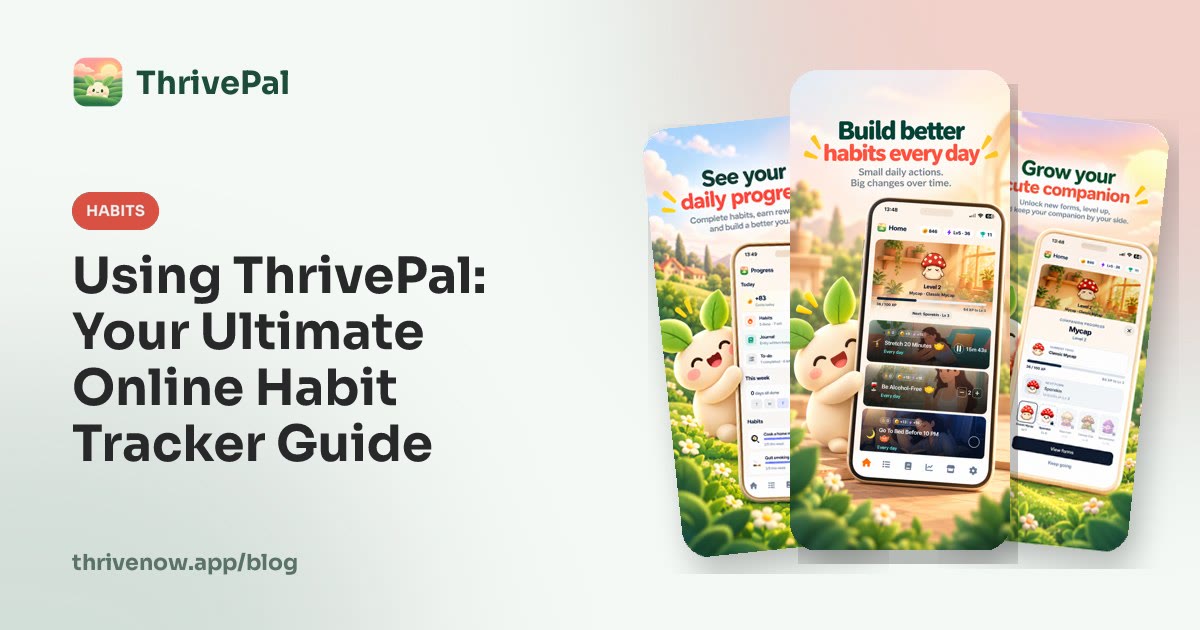
ThrivePal is a user-friendly habit tracker app available for both iPhone and Android. Download and install it to take the first step toward a more organized and fulfilling life. Start by completing the onboarding process, which includes a few simple questions to better tailor your habit recommendations to your unique needs.
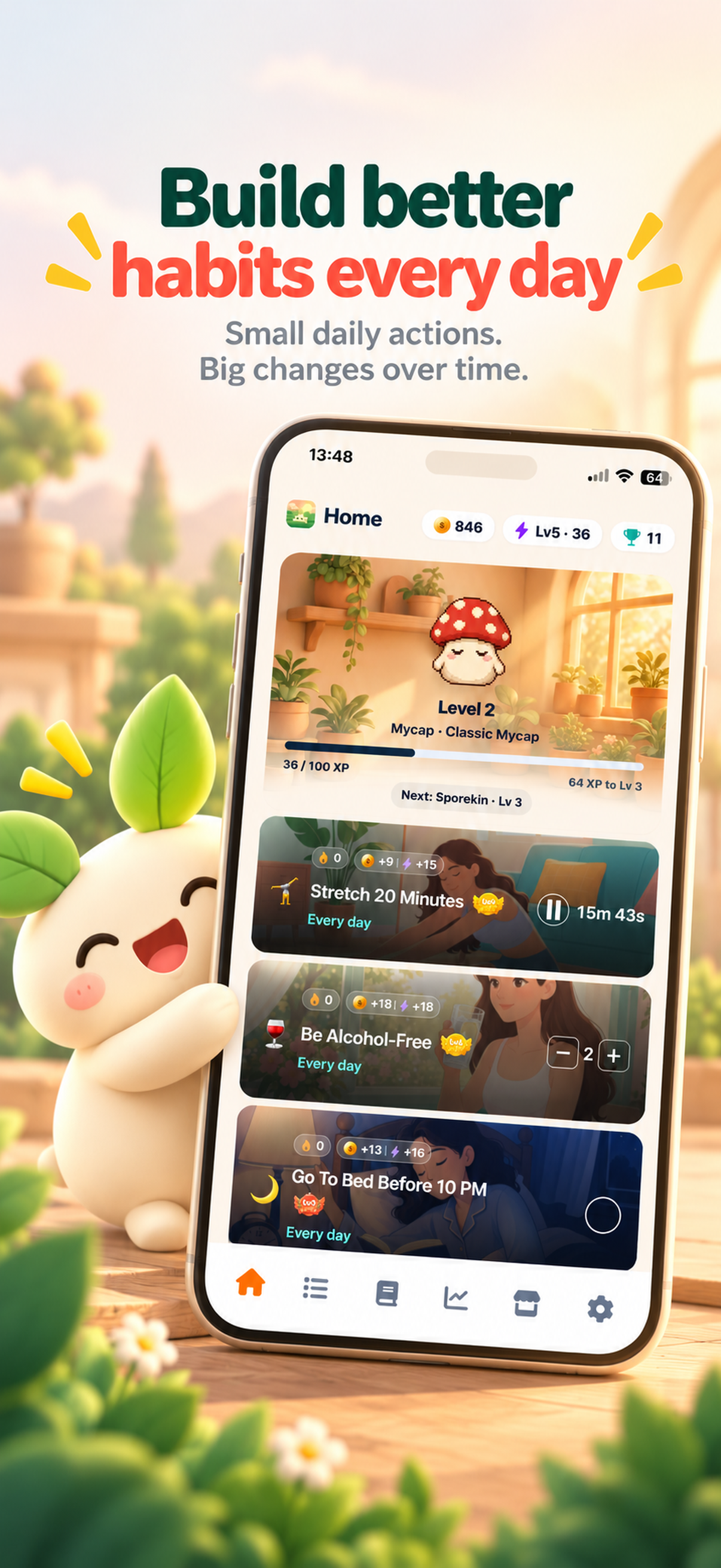
Once you’ve installed the app and completed the onboarding, take some time to familiarize yourself with the 10 areas of life you can improve with ThrivePal:
- Sleep
- Movement
- Strength
- Nutrition
- Mindfulness
- Focus
- Digital Habits
- Relationships
- Everyday Life
- Quitting
Artifact: 54 Habits Checklist
Here’s a simple checklist to help you view the 54 habits available in ThrivePal, organized by these 10 areas of life:
- Sleep: Early to bed, no screens in bed, consistent wake time.
- Movement: Walk 10 minutes, take the stairs, stand up every hour.
- Strength: Do 2 push-ups, stretch for 5 minutes, complete 10 squats.
- Nutrition: Drink 4 glasses of water, eat a vegetable with lunch, no sugar after dinner.
- Mindfulness: Meditate for 3 minutes, journal for 5 minutes, practice gratitude for 2 minutes.
- Focus: Spend 15 minutes on a single task, use a Pomodoro technique for work.
- Digital Habits: Limit social media to under 3 hours per day, turn off notifications for an hour.
- Relationships: Call a friend, have dinner with family, say “thank you” to someone.
- Everyday Life: Declutter one area, organize a drawer, make your bed.
- Quitting: Reduce caffeine after 4 PM, limit late-night snacking, avoid mindless browsing.
Choosing Your First Habits: Actionable Ideas
Choosing the right habits to start with can set the tone for your entire journey with ThrivePal. Instead of overwhelming yourself with various habits, focus on picking tiny starter versions from different areas. For instance:
- Sleep: Aim to go to bed 10 minutes earlier each night.
- Movement: Walk for 10 minutes after lunch.
- Mindfulness: Meditate for 3 minutes daily.
Understand the concept of levels in the ThrivePal app; each habit has up to 5 levels, designed so you progress only when a level feels easy. For your initial week, concentrate on Level 1 habits, ensuring they remain manageable and achievable.
Artifact: Sample Routine
Here’s a sample routine with 3 to 5 Level 1 habits you can adopt for a week:
- After breakfast: Drink 4 glasses of water (Counted).
- After lunch: Walk for 10 minutes (Timed).
- Before bed: Meditate for 3 minutes (Timed).
- Daily: Check in with gratitude for 2 minutes (Checked off).
Setting Up Tracking and Reminders
Tracking your habits effectively involves marking them as completed, counting them, or timing them based on your preference. ThrivePal allows you to do all three. Here’s how to get set up:
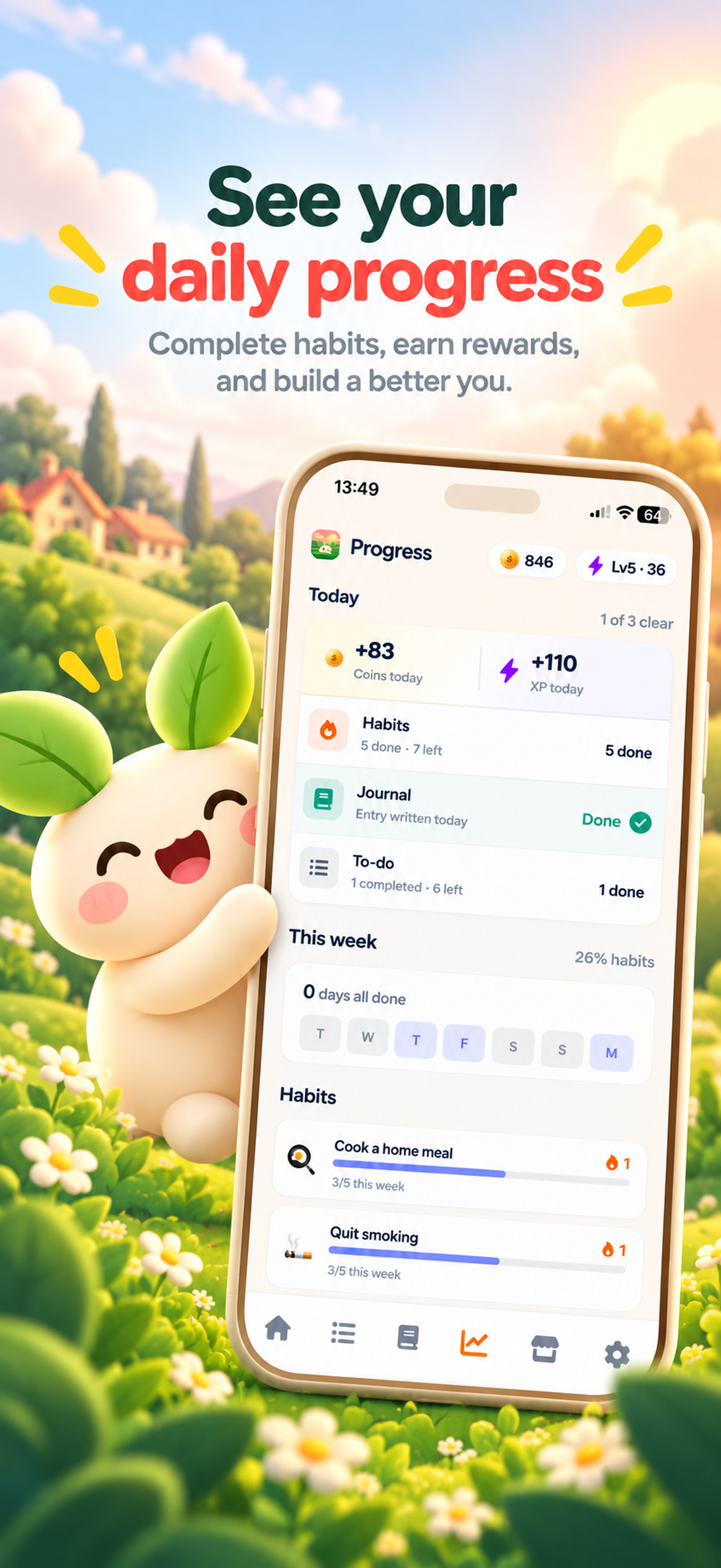
- Open the app and select your chosen habits.
- Mark them as completed (check-off), count repetitions (count), or time your activities (timed) – for timed activities, you can also utilize the optional Pomodoro setting, which breaks your tasks into manageable 25-minute intervals of focused work.
- Set reminders for your daily tasks to ensure you don’t forget. You can schedule notification alerts to prompt you to take action based on your selected habits.
Artifact: One-Week Habit Tracking Plan
Here’s a one-week plan with reminders for each selected habit:
- Monday: Check-off for gratitude.
- Tuesday: Reminder to walk 10 minutes after lunch.
- Wednesday: Timed meditation reminder before bed.
- Thursday: Count water intake throughout the day.
- Friday: Repeat the routine.
- Saturday: Reflect on your progress and adjust if needed.
- Sunday: Review your week and celebrate your wins.
Leveraging the Rewards System for Motivation
ThrivePal’s rewards system is integral in keeping you motivated. You earn coins by completing habits and journal entries. You can also use these coins to unlock new companions and outfits in the app’s shop.
Strategies for Engagement
- Celebrate milestones in habit consistency with badges and achievements. Whether it's a streak of days completed or the total number of habits tracked, recognition, even in app form, fosters motivation.
- Make use of the coins you earn: use them to grow your companion, adding layers of fun and engagement to your habit-forming journey.
Artifact: Rewards Checklist
Track your potential rewards and milestones for the first month:
- Complete your first 7 days of a Level 1 habit: 10 coins.
- Achieve a streak of a week for gratitude journaling: 20 coins.
- Reach your 30-day mark with a habit: 50 coins and a special badge.
Monitoring Your Mood and Daily Progress
Monitoring how your habits impact your mood can bring additional insight into your behavior. With ThrivePal’s mood journal feature, you can track emotional shifts aligned with your habit routine.
Steps to Monitor Progress
- Each day, take a moment to log your mood directly in the app. Choose emojis or descriptors that best fit your emotional state.
- Review your daily and weekly progress to identify patterns: Do you feel happier after completing your mindfulness habits?
- Based on your observations, set goals for improvement. For example, if you notice you’re happier on days you walk, aim to increase your walking days.
Artifact: Weekly Reflection Template
Use the following guided template for a weekly reflection:
- Positive habits that improved my mood:
- Habits that felt challenging:
- Mood changes corresponding to habits:
- Goals for next week:
Building a Supportive Habit Stacking Routine
One effective strategy is habit stacking, which involves attaching a new habit to an already established routine. This helps reinforce your new habit without needing extra willpower.
Practical Examples of Habit Stacking
- Morning: After you wake up, drink a glass of water (Hydration Habit).
- Post-shower: Do 2 push-ups before getting dressed (Strength Habit).
- Before bed: Write a gratitude note after brushing teeth (Mindfulness Habit).
Artifact: Illustrative Habit Stacking Line
Here’s a structured habit stacking line for your morning and evening:
- Morning Stack: After I turn off my alarm, I will drink water, then stretch for 3 minutes.
- Evening Stack: After I brush my teeth, I will read for 10 minutes, then log my mood.
Handling Challenges and Missed Days
Setbacks happen, and it's essential to be gentle with yourself. ThrivePal is designed to support you through those off days.
Recovery Strategies
- Acknowledge that missing a day is part of the journey. Reflect on why it happened and what is helpful to adjust next time.
- Create an actionable plan for recovery: If you missed walking one day, double your steps the next day or walk during your lunch break.
- Use the app features for reflection and goal recalibration to solidify your commitment.
Artifact: Missed-Day Rescue Plan Checklist
Use this checklist to help you recover after a missed day:
- Reflect on what led to the missed day.
- Adjust the habit for a fresh start (maybe reduce the frequency).
- Set a specific time to ensure it fits into your busy schedule.
- Plan a reward for completion to boost motivation.
FAQ
What is a habit tracker app and how does it work?
A habit tracker app helps users monitor their habits by allowing them to track, manage, and visualize their progress toward achieving behavioral changes.
How can I choose the right habits to track?
Start with tiny habits from different life areas that you believe will have the greatest impact on your daily routine. Choose those you feel confident you can maintain consistently.
Can I use ThrivePal on multiple devices?
Yes, ThrivePal can sync across multiple devices, allowing you to track your habits wherever you go.
What types of reminders can I set in the ThrivePal app?
You can set time-based reminders for specific habits, daily prompts for check-ins, or alerts to remind you to complete your journal entries.
How does the rewards system work in ThrivePal?
You earn coins for completing habits and journal entries, which you can use to unlock new companions, outfits, and achieve milestones that enhance your habit-forming journey.