Best Habit Tracker App Free: A 7-Day Guide
Find the best free habit tracker app by testing tiny habits, reminders, streaks, tracking modes, and paywall fit in 7 days.
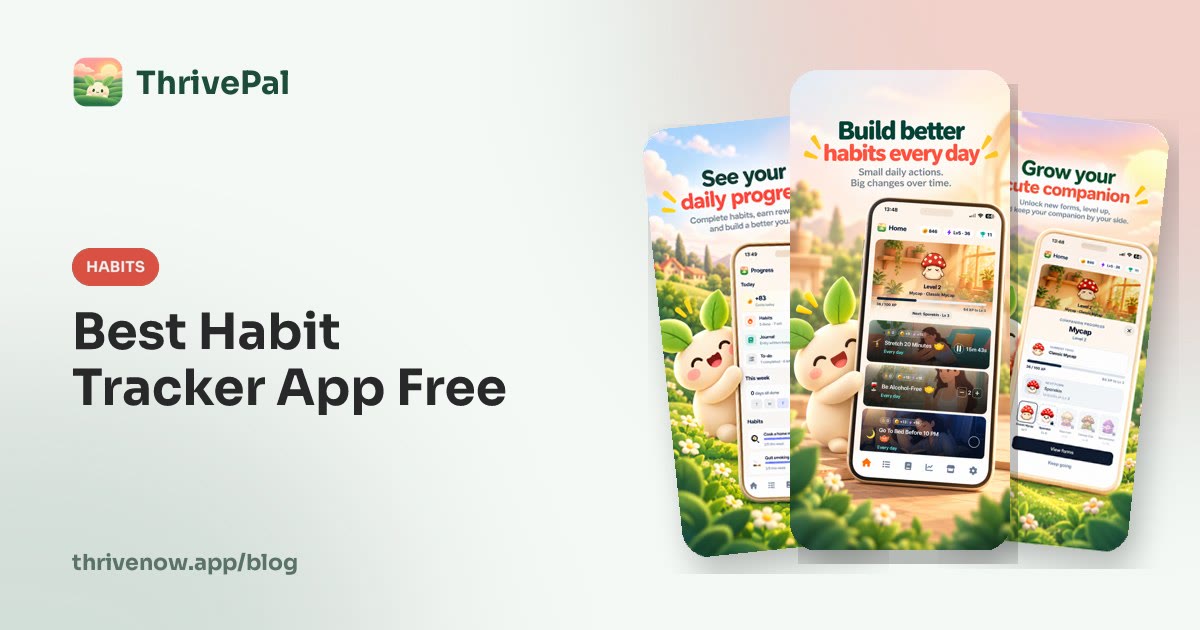
The best habit tracker app free is the one you will actually open every day, not the one with the longest feature list. Look for a free app that lets you start tiny, check in fast, see progress, set reminders, and recover after a missed day without feeling like you failed.
Use this guide to choose and test a free habit tracker in one week. ThrivePal is one option to consider: it is a habit tracker app for iPhone and Android, free to download, with an optional Premium subscription that adds more.
Best free habit tracker app: what to look for before you download
The best free habit tracker is not the app with the biggest dashboard. It is the one you can use on a normal busy day, when your motivation is average and your routine is messy.
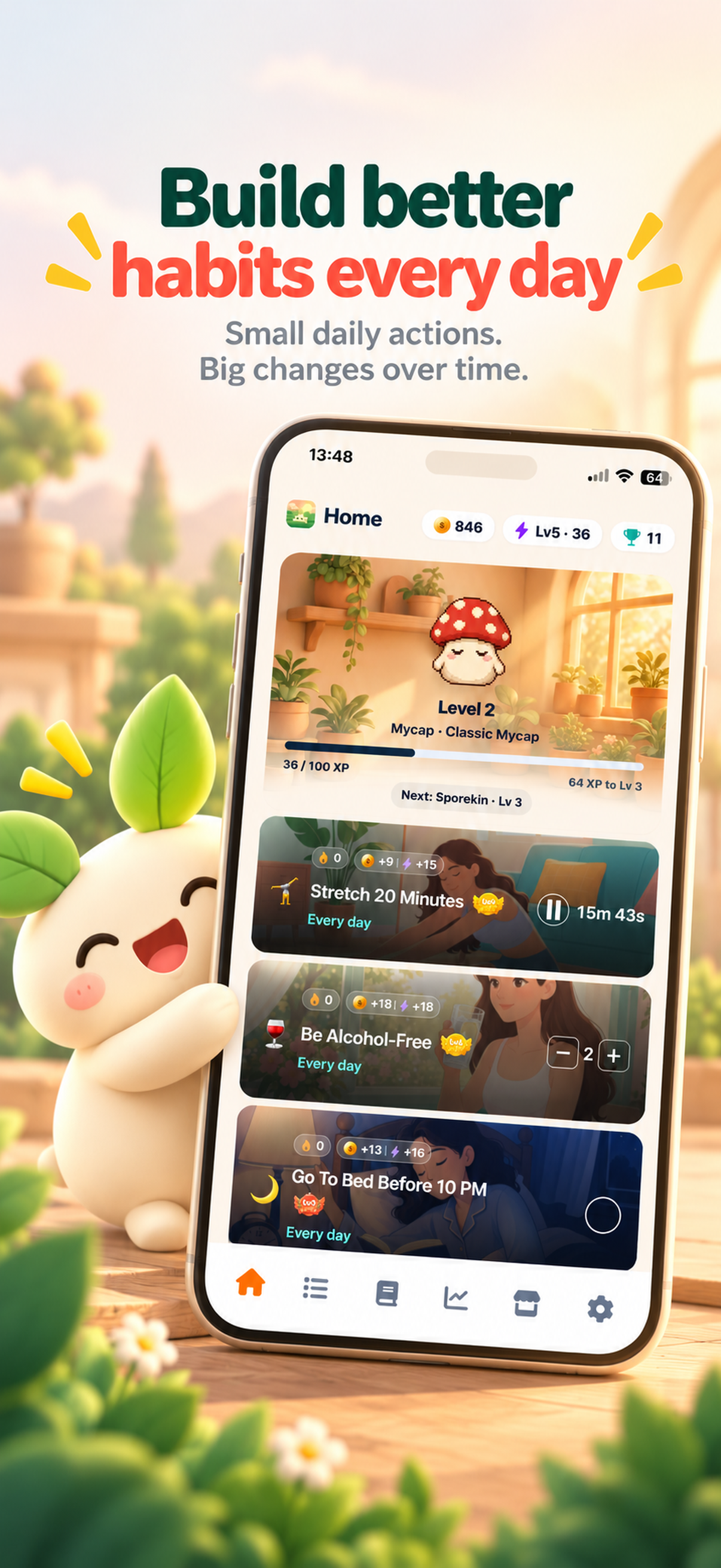
Before you download, check for six things: fast daily check-in, tiny starter habits, flexible tracking modes, reminders, streak and progress visibility, and enough motivation to return tomorrow. A free app should fit your goal, personality, and routine. If you like clean lists, choose simple tracking. If rewards help you come back, choose something more game-like. If you forget easily, reminders matter more than charts.
Do not rank apps by how many features they advertise. A free app is only useful if the free experience lets you test the habit loop without surprise friction.
Free habit tracker app checklist
- Can I add a habit in under 60 seconds?
- Can I start with a tiny version, such as walk 10 minutes or meditate 3 minutes?
- Can I check off, count, or time a habit?
- Can I set reminders?
- Can I see daily progress and streaks?
- Is there a reward system I care about?
- Is it free to download on my phone?
Why tiny habits matter more than a huge free feature list
Many people stop using habit trackers because they add ambitious habits first. The problem is not always the app. It is the starting size.
A habit tracker works best when the first version is small enough to repeat. ThrivePal uses up to 5 levels per habit, and level 1 is deliberately small. Examples include walk 10 minutes, read 10 minutes, 2 push-ups, 4 glasses of water, meditate 3 minutes, gratitude 2 minutes, social media under 3 hours a day, 15 phone-free minutes in the morning, and no caffeine after 4 PM.
The progression rule is simple: move up a level when the current level feels easy. Do not increase the habit because you had one motivated day. Increase it when the small version feels normal for several days.
If you want a broader habit-building plan, this also pairs well with a tiny-habit system like the one in How to Build a Habit That Sticks.
Illustrative starter setup
Monday to Sunday, track only 3 level-1 habits:
- After breakfast, drink 4 glasses of water across the day.
- After lunch, walk 10 minutes.
- After brushing teeth at night, write gratitude for 2 minutes.
Do not increase a level until each habit feels easy for at least several days.
The tracking modes a free habit app should support
A good free habit app should not force every habit into the same format. Some habits are yes/no. Some need a number. Some need a timer.
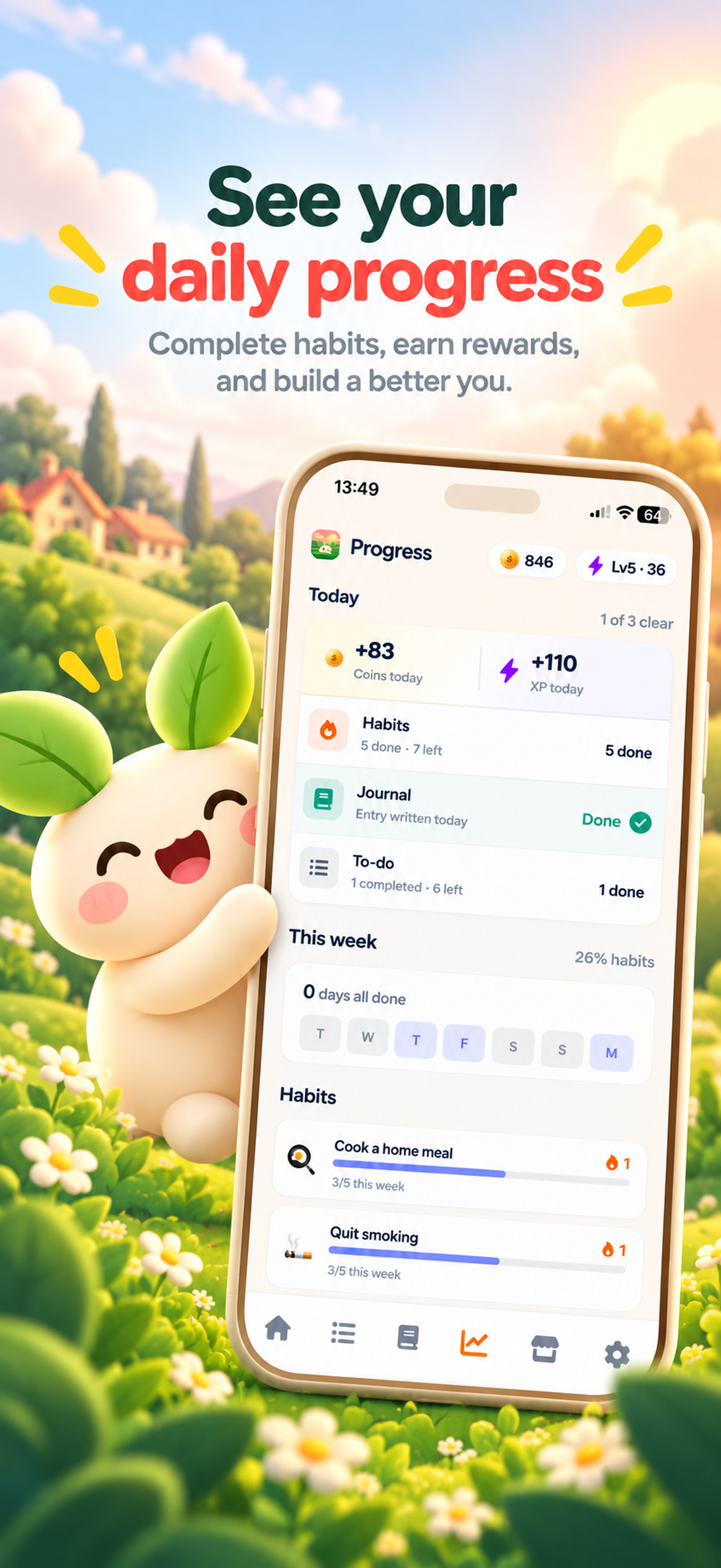
Check-off habits are best for clear boundaries. Counted habits are best when the number matters. Timed habits are best when you want to spend minutes doing something. ThrivePal supports habits that can be checked off, counted, or timed, and timed habits have an optional Pomodoro rhythm.
Use the tracking style that matches the behavior. Do not time a habit if the real goal is a simple yes/no boundary. Do not check off a habit if seeing the count would help you stay aware.
Tracking-mode examples
- Check off: no caffeine after 4 PM.
- Count: 4 glasses of water.
- Time: read 10 minutes.
- Time with optional Pomodoro rhythm: focus session.
- Check off: 15 phone-free minutes in the morning.
- Count: 2 push-ups, if you want the number visible.
A good free habit tracker should help you choose what to start with
Blank-page habit trackers can be useful, but they can also lead to overplanning. You open the app, think of every life change you want, add too many habits, and create a routine you cannot keep.
A guided setup helps beginners start faster. ThrivePal onboarding asks a few questions and suggests a starter set of habits. It includes 54 habits in 10 areas of life: sleep, movement, strength, nutrition, mindfulness, focus, digital habits, relationships, everyday life and quitting.
If you prefer to browse first, use a habit library like habit ideas to choose one clear behavior instead of a vague goal.
Illustrative onboarding outcome
If your goal is better energy, start with:
- Sleep: no caffeine after 4 PM.
- Movement: walk 10 minutes.
- Nutrition: 4 glasses of water.
If your goal is calmer mornings, start with:
- Mindfulness: meditate 3 minutes.
- Digital habits: 15 phone-free minutes in the morning.
- Everyday life: one small to-do.
Motivation features that are actually useful in a free habit tracker
Rewards work best when they make small completions feel visible. They should not pressure you into perfection. A missed habit is normal. The app should make it easy to return tomorrow.
ThrivePal has a reward loop where completing habits, journal entries, and to-dos earns coins and grows the user’s companion, which unlocks new forms as it levels up. Coins can buy companions, outfits, and scenes in the shop. There are also badges and achievements for streaks and milestones, plus traits that grow with the habits the user keeps.
That kind of reward system can help when the habit itself still feels small. You may not feel transformed after one 10-minute walk, but seeing progress, streaks, coins, and companion growth can make the check-in feel worth repeating. If this style motivates you, see more about a gamified habit tracker.
Illustrative daily reward loop
- 7:30 AM: complete 15 phone-free minutes in the morning and earn coins.
- 12:30 PM: check off walk 10 minutes.
- 6:00 PM: finish one to-do.
- 9:30 PM: add a mood journal entry.
- Then review daily progress, streaks, companion growth, and any badge or achievement progress.
How to test a free habit tracker app in 7 days
Do not test a habit tracker with a full life makeover. Test it with a small routine you can actually repeat.
The goal of the first week is to learn whether daily tracking feels quick, clear, and forgiving. Include reminders, daily progress, streaks, and any journal or to-do features you might use. The app is working if checking in takes little effort and you can recover after a missed habit.
7-day test plan
- Day 1: install the app and accept or choose 3 starter habits.
- Day 2: set one reminder for the easiest habit.
- Day 3: try one timed habit for 10 minutes.
- Day 4: add one counted habit, such as 4 glasses of water.
- Day 5: add one mood journal entry.
- Day 6: add one to-do and complete it.
- Day 7: review daily progress and streaks; keep the app only if daily tracking felt quick and the habits still feel realistic.
When a free habit tracker is not the right tool
A habit tracker helps you record and reinforce behavior. It is not automatically an app blocker, therapist, medical tool, or accountability coach.
This matters most for phone use and breaking difficult habits. ThrivePal does not block apps or measure screen time; screen time habits are tracked by the user. If you need automatic blocking or measured reports, pair a habit tracker with built-in phone controls or a dedicated screen-time tool. For serious health concerns, or changes involving smoking, alcohol, vaping, medication, diet, or a medical condition, talk to a doctor or qualified professional.
If your main goal is phone boundaries, start with one trackable behavior and consider extra tools where needed. You can also explore options for a reduce screen time app.
Decision checklist
Use a habit tracker if you want to build or record behaviors like:
- Meditate 3 minutes.
- Walk 10 minutes.
- Social media under 3 hours a day.
Add another tool if you need:
- Automatic app blocking.
- Measured screen-time reports.
- Medical advice.
- Crisis support.
Recommended free setup in ThrivePal for beginners
If you want to try a free habit tracker now, start with three habits only. ThrivePal is a strong fit for people who want tiny habits, multiple tracking modes, reminders, mood journaling, to-dos, streaks, and game-like rewards. It is available for iPhone and Android and is free to download, with optional Premium available.
You can learn more on the habit tracker app page, browse starter habits in habit ideas, or explore the companion-style approach on the virtual pet habit tracker page.
Beginner ThrivePal setup
Choose 3 habits only:
- Movement: walk 10 minutes after lunch.
- Mindfulness: meditate 3 minutes after brushing your teeth.
- Digital habits: 15 phone-free minutes in the morning after you pour coffee.
Set one reminder for the habit you are most likely to forget, then review daily progress each night.
FAQ
What is the best free habit tracker app?
The best free habit tracker app is the one you will check every day. Look for quick habit setup, tiny starter habits, reminders, streaks, daily progress, and tracking modes for check-off, counted, and timed habits.
Is there a free habit tracker app for iPhone and Android?
Yes. ThrivePal is a habit tracker app for iPhone and Android. It is free to download, with an optional Premium subscription that adds more.
What features should a free habit tracker app include?
At minimum, look for fast daily check-ins, reminders, daily progress, streaks, and flexible tracking. It should support yes/no habits, counted habits, and timed habits.
Can a habit tracker help me reduce screen time?
Yes, if you use it to track a clear behavior, such as 15 phone-free minutes in the morning or social media under 3 hours a day. But a habit tracker does not automatically block apps unless it specifically includes blocking.
How long should I test a habit tracker app before deciding if it works?
Test it for 7 days with three small habits. Keep it if checking in feels quick, the habits still feel realistic, and you can return easily after a missed habit.